
The map for going out with your baby
Where to breastfeed, change a nappy or warm a bottle: cafés, pharmacies, museums, health centres and more, across Spain.


 Food and drink
Neighbourhood café
Open · Closes at 20:00
 90 % (12)
4 min
90 % (12)
4 min
Each type of place has its own colour on the map
The same colours you see in the app, so you can tell a pharmacy, a café or a museum apart at a glance.
 Shopping centre
- Entertainment
 Cultural space
 Place of worship
 Sports centre
- Health
- Food and drink
 Public body
- Pharmacy
- Shop
- Education
 Transport
- Baby care
 Service station
 Beauty and wellness
 Office
 Optician or orthopaedics
 Herbalist
 MaterMap centre
 Other
Other
For families · the Maters
Find what you need in seconds
- Filter by what you need: type of place, services, accessibility, hospitality or privacy.
- Open now: every place shows whether it is open and until when.
- Get there: distance and walking time; one tap for directions or to call.
- Alerts that matter to you: new Mappers in the cities you explore and updates to your favourites.

For venues · the Mappers
Do you run a café, a shop or a centre? Joining is free
- Families nearby find you on the map, with your opening hours and what you offer.
- Order your MaterMap stickers in the app, so families spot you from the street.
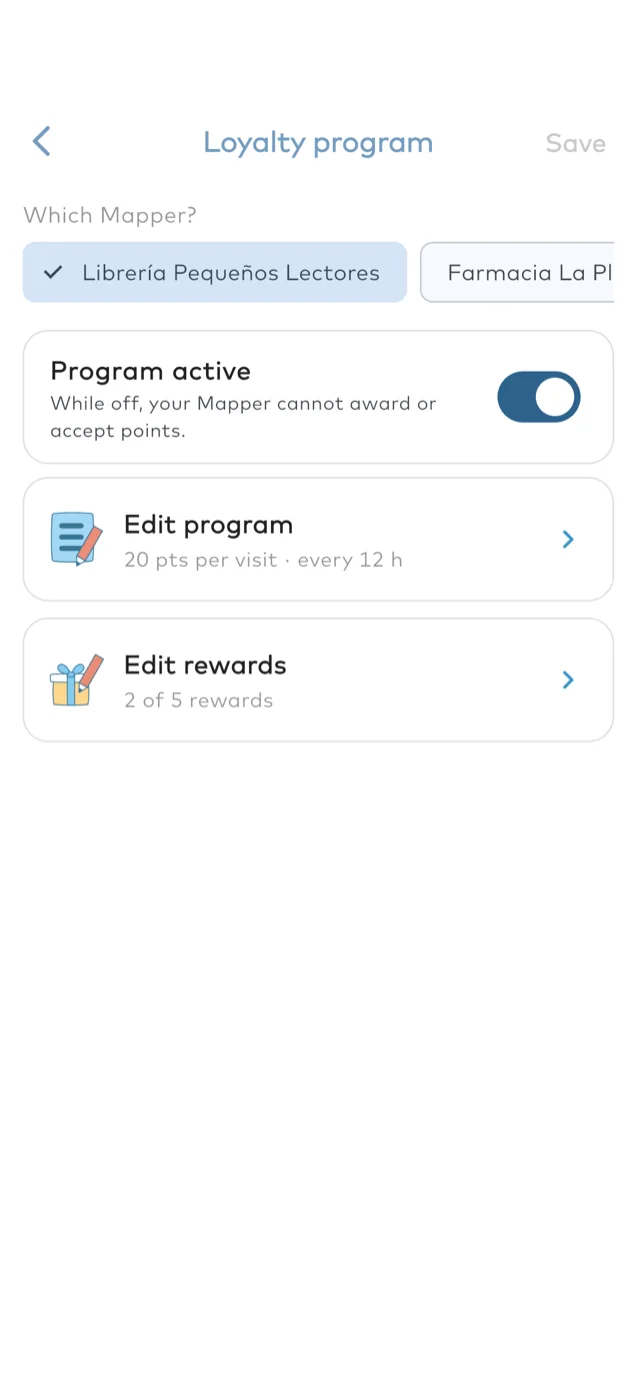
- Set up your loyalty program and reward the families who come back.
Know before you go
Every place shows what it offers families, how easy it is to get in and whether you need to buy something. On its page, what it offers is in colour.

Services
-

 Breastfeeding places
-

 Nursing pillow
-

 Changing table
-

 Microwave
-

 High chair
-

 Wet wipes
-

 Nappy bin
-

 Washbasin
-

 Toilet
-

 Children's toilet or seat
Accessibility
-

 Easy access
-

 Accessible route
-

 Room for a pushchair
Hospitality
-

 Siblings welcome
-

 Pets welcome
-

 Intolerance friendly
-

 Purchase required
- Offered
- Not offered
Privacy for breastfeeding
Mappers say how private their breastfeeding area is.
-

Low
No closed or separate space: you feed in view of other people.
-

Medium
No closed space, but a quieter corner with some privacy.
-

High
A closed or separate room, out of other people's view.
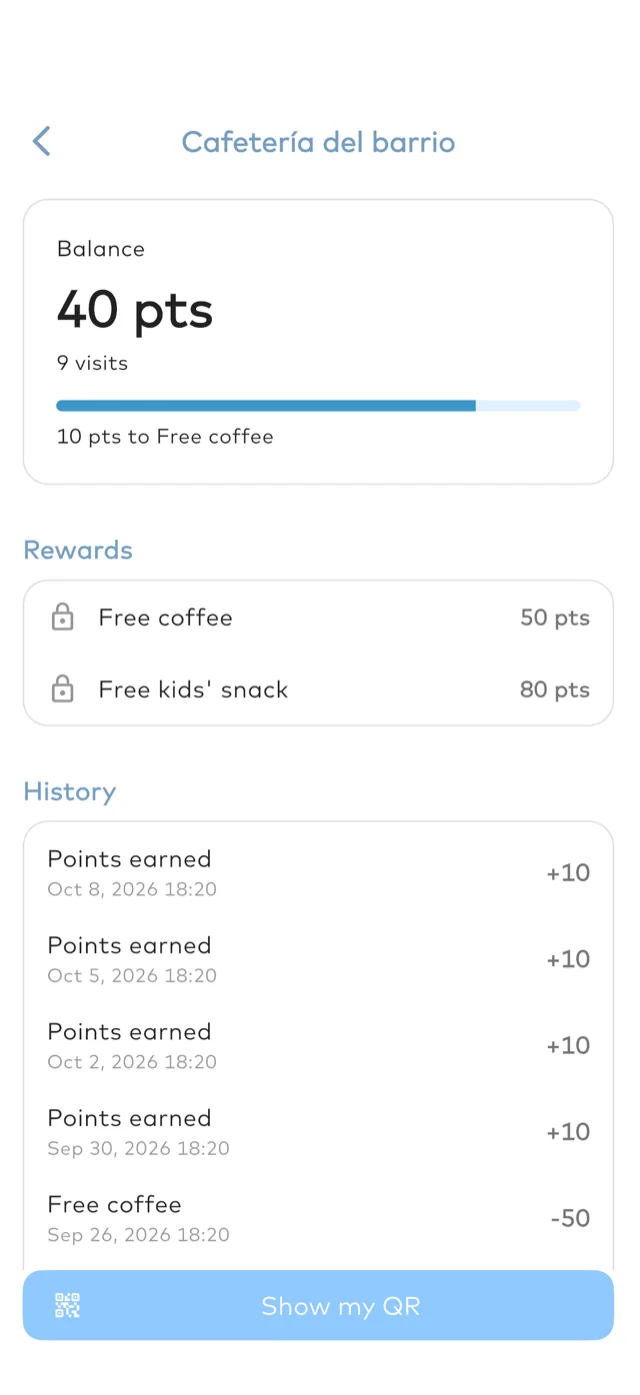
Earn rewards at your favourite places
Some Mappers reward families who come back: a coffee, a discount or whatever each place decides.
- Look for Mappers marked “Earn rewards here” on the map.
- When you go, open My Rewards in your profile and tap “Show my QR”. The Mapper scans it and adds your points.
- Once you have enough points, pick a reward and show its code to claim it.
Points you earn at a place are spent at that same place.

A map we build together
Families use it
Maters, as we call people who use the app, see which places are nearby, what they offer and how much privacy there is to breastfeed.
Places sign up
Cafés, shops, pharmacies and museums join the map for free. We call them Mappers.
A sticker shows the way
Every Mapper can put the MaterMap sticker where people see it, so you can spot it from the street.


